PascalABC.NET 4.1
PascalABC.NET 4.1 brings .NET 10 and NuGet package support to the familiar Windows development environment.
Released on 20 October 2026.
Version 4.0 introduced modern .NET support and the official VS Code extension. Version 4.1 brings compilation and execution for .NET 10 directly to the main Windows IDE, together with code completion, navigation, and package restoration. To use these features, download PascalABC.NET 4.1 Net10Pack for Windows.
.NET 10 in the main IDE
A .NET 10 switch in the Program menu selects the target platform. The familiar compile, run, and stop commands work in the selected mode.
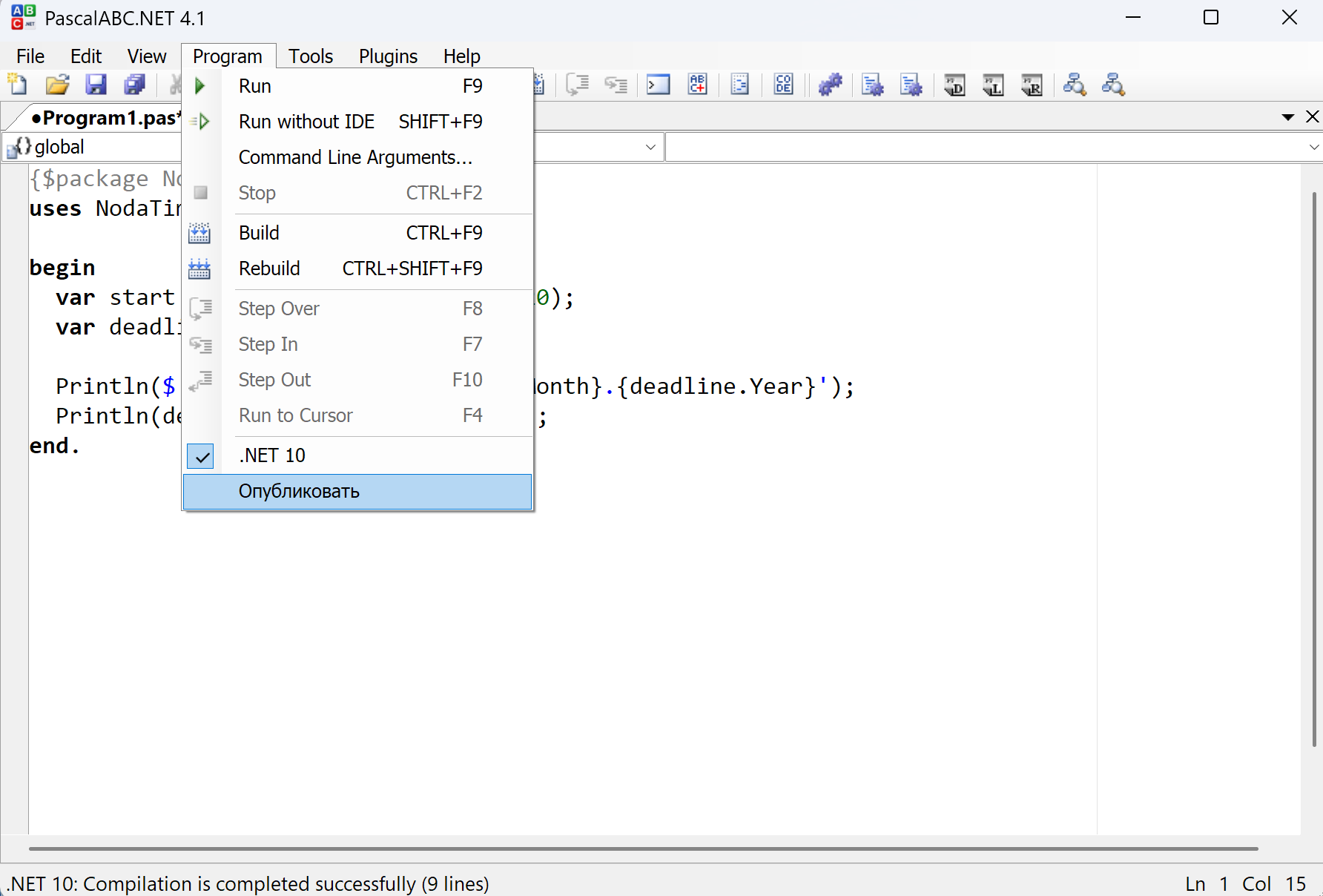
The .NET Framework target remains available, so you can choose the platform for a task without changing your development environment.
The .NET 10 compiler does not require the .NET SDK: the .NET 10 Runtime is sufficient. NuGet package restoration also works without the SDK.
The .NET 10 switch is not saved when the IDE closes. Select it again when starting a new session.
IntelliSense and code navigation for .NET 10
The .NET 10 target supports:
- name and member completion;
- parameter hints for procedures, functions, and methods;
- information about code elements on hover;
- code navigation;
- highlighting available navigation targets and Ctrl-based navigation.
Modern .NET support is therefore not limited to command-line compilation: the main editing tools are available in the familiar PascalABC.NET IDE.
Graphics, Robot, and Drawman for .NET 10
On Windows, the .NET 10 target now supports the GraphWPF and GraphABC graphics modules, as well as the Robot and Drawman teaching modules.
To compile and run graphics programs or exercises using these teaching modules for .NET 10, select the target in the Program menu.
NuGet packages: the package directive
Reference a NuGet library directly in your program using {$package ...} with the package name and an exact version.
For example, use NodaTime to calculate the deadline of a project that starts on 20 October 2026 and lasts 100 calendar days, and find its day of the week:
{$package NodaTime 3.2.4}
uses NodaTime;

begin
  var start := new LocalDate(2026,10,20);
  var deadline := start.PlusDays(100);

  Println($'{deadline.Day}.{deadline.Month}.{deadline.Year}');
  Println(deadline.DayOfWeek.ToString);
end.
Output:
28.1.2027
Thursday
PlusDays accounts for month lengths and the transition to the next year. It returns a new LocalDate without changing start. The DayOfWeek property identifies the weekday. The date is explicitly printed in day.month.year order, independently of the computer’s regional date format.
Compilation or execution automatically restores the package and its transitive dependencies using NuGet libraries, the shared package cache, and package sources from NuGet.Config. The default source is nuget.org.
Packages already available in the cache do not need to be downloaded again. Missing packages require access to the corresponding source.
Package name and version suggestions
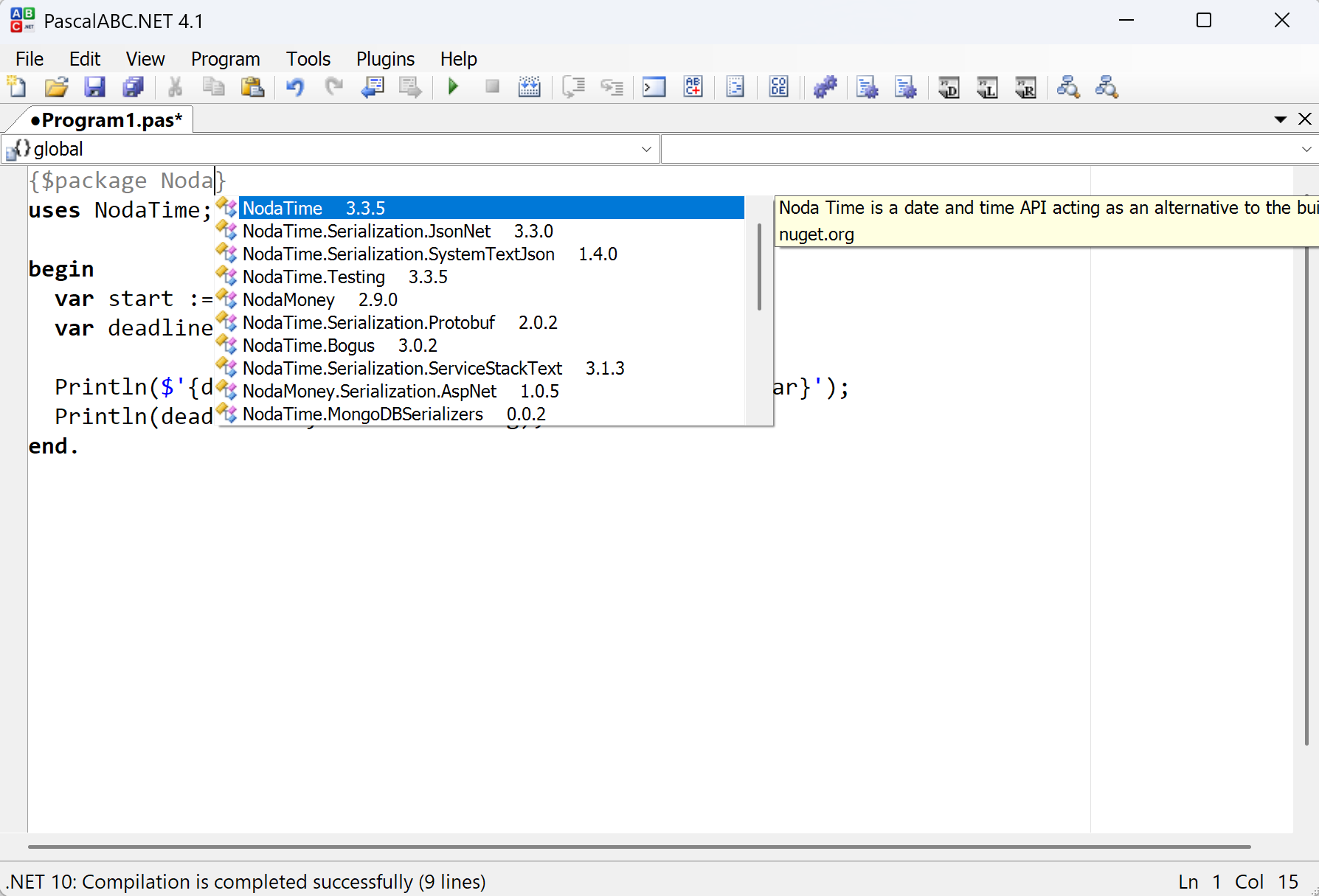
Press Ctrl+Space inside {$package ...} to see:
- matching NuGet package names;
- available versions;
- the package description beside the suggestion list.
Selecting a package name inserts the latest stable version found. You can replace it with another available version.
Package restoration runs when compiling or executing a program, or when you click Restore Packages in the status bar.
If package types are needed for IntelliSense before the first compilation, click this button.
Example: SQLite through NuGet
Use Microsoft.Data.Sqlite to work with SQLite:
{$package Microsoft.Data.Sqlite 10.0.13}
uses Microsoft.Data.Sqlite;

begin
  var connection := new SqliteConnection('Data Source=:memory:');
  connection.Open;

  var command := connection.CreateCommand;
  command.CommandText := 'select 40 + 2';
  Println(command.ExecuteScalar);

  command.Dispose;
  connection.Dispose;
end.
Output:
42The program creates an in-memory database and executes an SQL query. The directive restores the SQLite package and its dependencies.
Packages with native dependencies
The following packages or examples have been tested on Windows x64:
Microsoft.Data.Sqlite;- Math.NET with MKL;
- ML.NET and LightGBM examples.
This does not imply compatibility with every NuGet package. Packages requiring special MSBuild actions, installation steps, or platform components may need additional support. Windows x64 results do not automatically apply to other platforms.
Publishing programs with dependencies
The Publish command for .NET 10 creates a publish folder containing the program and its required dependencies. Depending on the settings, this folder is placed in the program’s folder or in the Output folder. Running the published program does not depend on the developer’s local NuGet cache.
This makes it easier to transfer a program to another computer without collecting individual libraries manually.
Reloading user DLLs
The .NET 10 compiler supports unloading and reloading user DLLs through AssemblyLoadContext.
After a library is rebuilt, the long-running compiler can pick up the updated DLL without restarting. This helps when developing a program and its supporting libraries together.
Compatibility and distributions
- StandardPack remains the .NET Framework 4.7.2 distribution.
- Net10Pack supports compilation and execution for .NET 10 in the main Windows IDE.
- The VS Code extension 0.5.1 still bundles PascalABC.NET 4.0 and is updated separately.